



In brief
- Myriad is a platform that integrates prediction markets alongside written and video content from media outlets, including Decrypt.
- Users can make predictions on Myriad using USDC.
- Myriad is also available as an in-wallet option with Trust Wallet.
Myriad is the evolution of Decrypt and Rug Radio’s interconnected media ecosystem, integrating on-chain prediction markets into news stories and creator content.
Here’s how it works, and how to get started.
What is Myriad?
Myriad is a platform that integrates prediction markets alongside written and video content from media outlets including Decrypt and Rug Radio—enabling new forms of reader engagement, opening up new business models for publishers and content creators, and ultimately aiming to rebuild user trust in media.
How to get started with Myriad
Creating an account
- Head to myriad.markets.
- Click “Install Myriad Extension.”
- You’ll be sent to the Chrome Web Store, where you can click “Add to Chrome” to download the Myriad extension.
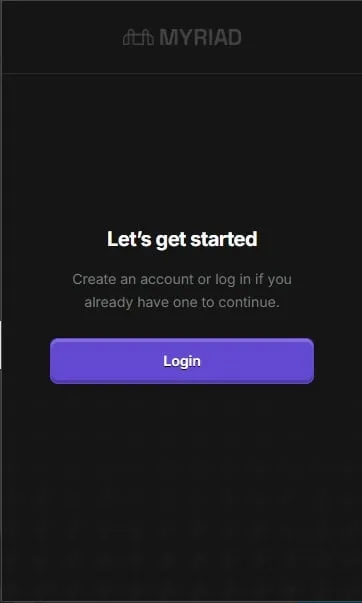
- Head back to myriad.markets and click “Sign in.” You’ll be presented with an array of wallet options you can use to sign in with, including Abstract, MetaMask, and WalletConnect.
- Check your email for the verification link, then click through to set up your profile.
- You’ll be asked to Approve Connection to enable Myriad Markets to view your wallet address and request transactions.
- Click “Approve” and you’ll be invited to sign a message.
Finding your way around Myriad
Once you’ve registered for Myriad, head to myriad.markets to view the main hub for Myriad activities.
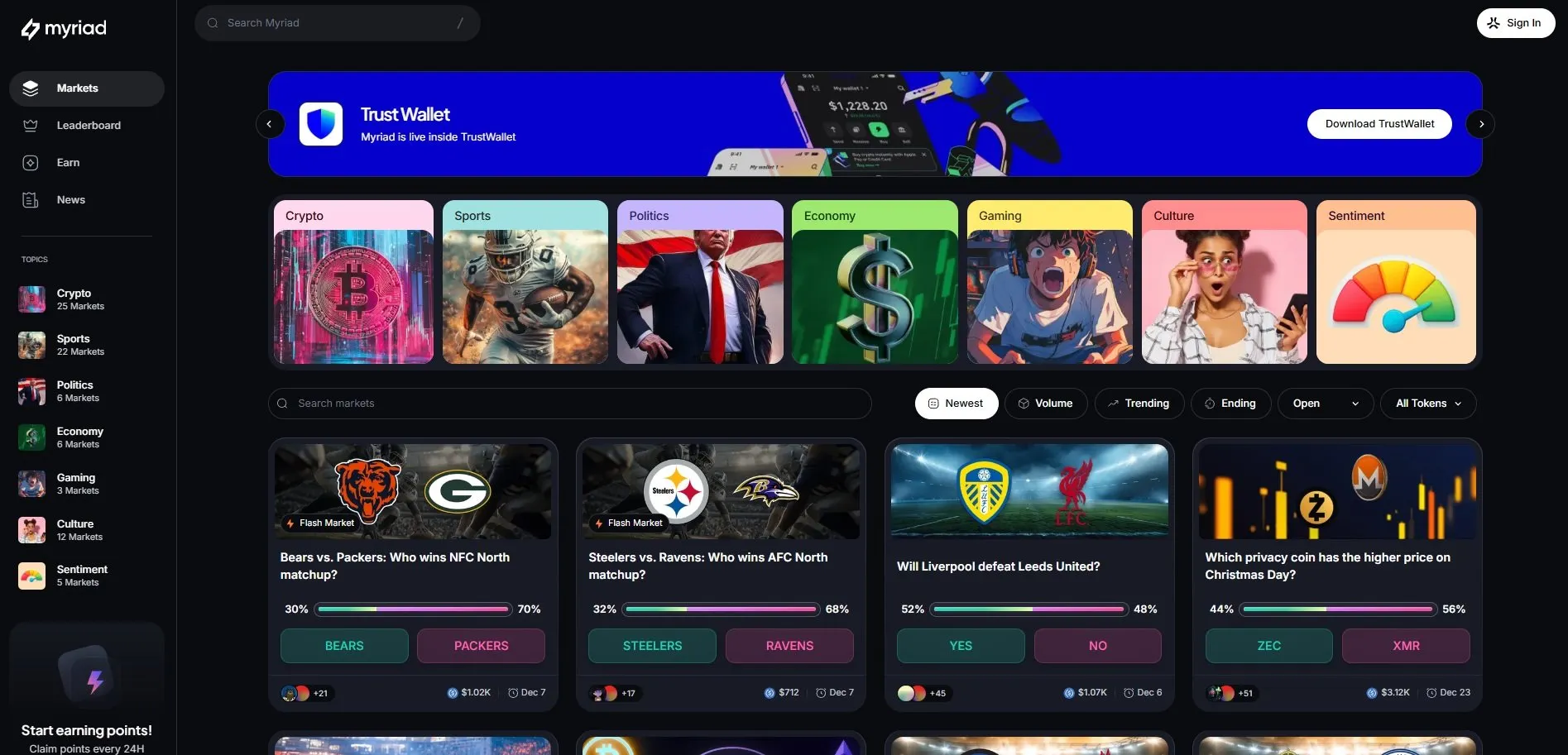
Along the left hand side of the page you’ll see several options:
-
- Home: Redirects you to the home page.
- Markets: Your hub for hot markets and activity.
- Leaderboard: See how you stack up against others
- Earn: Take part in Myriad Quests to earn points.
- News: View the latest news stories and related prediction markets.
- Topics: Markets arranged by category, including Crypto, Sports, Politics, Economy, Gaming, Culture and Tech & Science.
- Integrations: Third-party agents and apps building on Myriad
To view your profile page, click on the icon in the top right corner. This will bring up options for claiming previous SZNs, Share to Earn, Settings and your Profile.
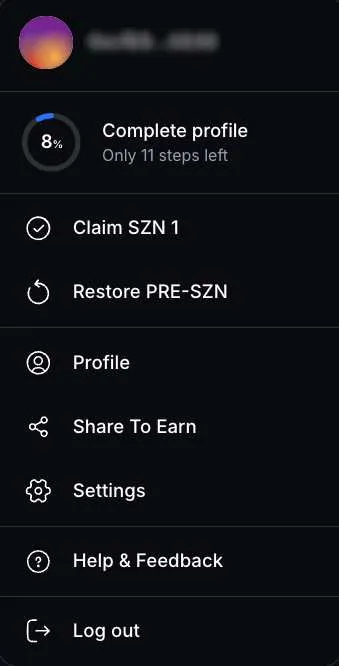
In your profile page, you can track your portfolio, rank, history and active predictions.
What are Myriad prediction markets?
Myriad’s on-chain prediction markets are the heart of the platform, enabling users to back their calls on real-world events with points. Those events can include anything from sports and crypto to gaming and politics.
As more people take part in the prediction market, the odds shift in real-time, indicating what outcome the community thinks is likely to happen.
Myriad’s prediction markets are made up of “shares” with values ranging from 0 to 1 points, with its value correlating to the percentage chance of it winning. So if a share for outcome A in a prediction market is valued at 0.53 points, the market reckons that outcome A has a 53% chance of happening.
When the market resolves, the price goes to 1 point a share for whichever outcome took place; thus, the lower the odds of something happening, the cheaper betting on it becomes—and vice versa.
USDC markets
USDC markets enable Myriad users to make predictions on the platform using USDC, a regulated stablecoin backed 100% by U.S. dollars and dollar-denominated assets and redeemable 1:1 for U.S. dollars.
Within prediction markets, USDC enables users to stake real money on the outcome of predictions, increasing the accuracy of predictions and sentiment tracking. Myriad generates revenue through taking a percentage of the volume of markets, underpinning its new revenue model for media and creator content.
How to take part in Myriad prediction markets
To take part in Myriad prediction markets, you’ll first need to have installed the Myriad Chrome extension, which you can download at myriad.markets.
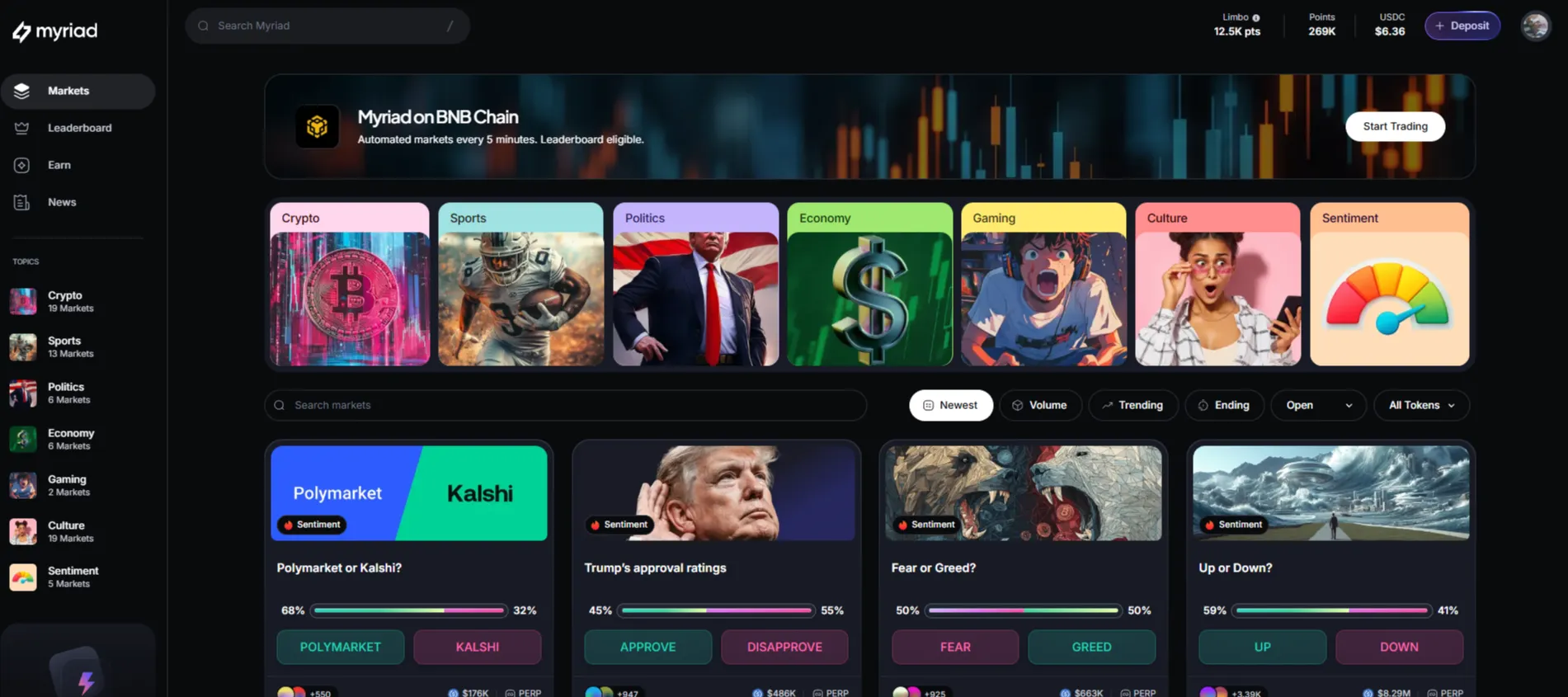
Relevant Myriad prediction markets appear embedded alongside Decrypt and Rug Radio content. To view all Myriad prediction markets, click “Visit Dashboard” within the extension and then click “Markets.”
Along the top of the page you'll find categories including Crypto, Sports and Politics. Using the toolbar below, you can search for specific markets, or filter by Newest, Trending, Volume, Ending and token types.
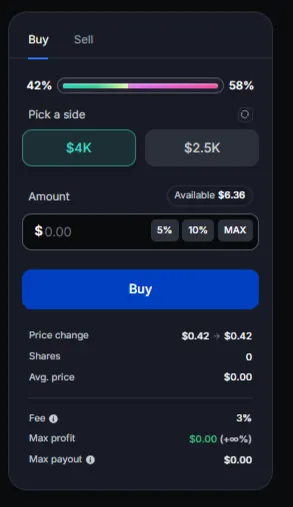
Regardless of how you’re viewing a prediction market, participating is simple: simply click the button under the market corresponding to the outcome you think is more likely to happen, and type in the number of USDC you want to use. There are buttons for 5%, 10% or MAX (100%) of your holdings. Once you’re happy with the amount, click the button below the market to make your prediction.
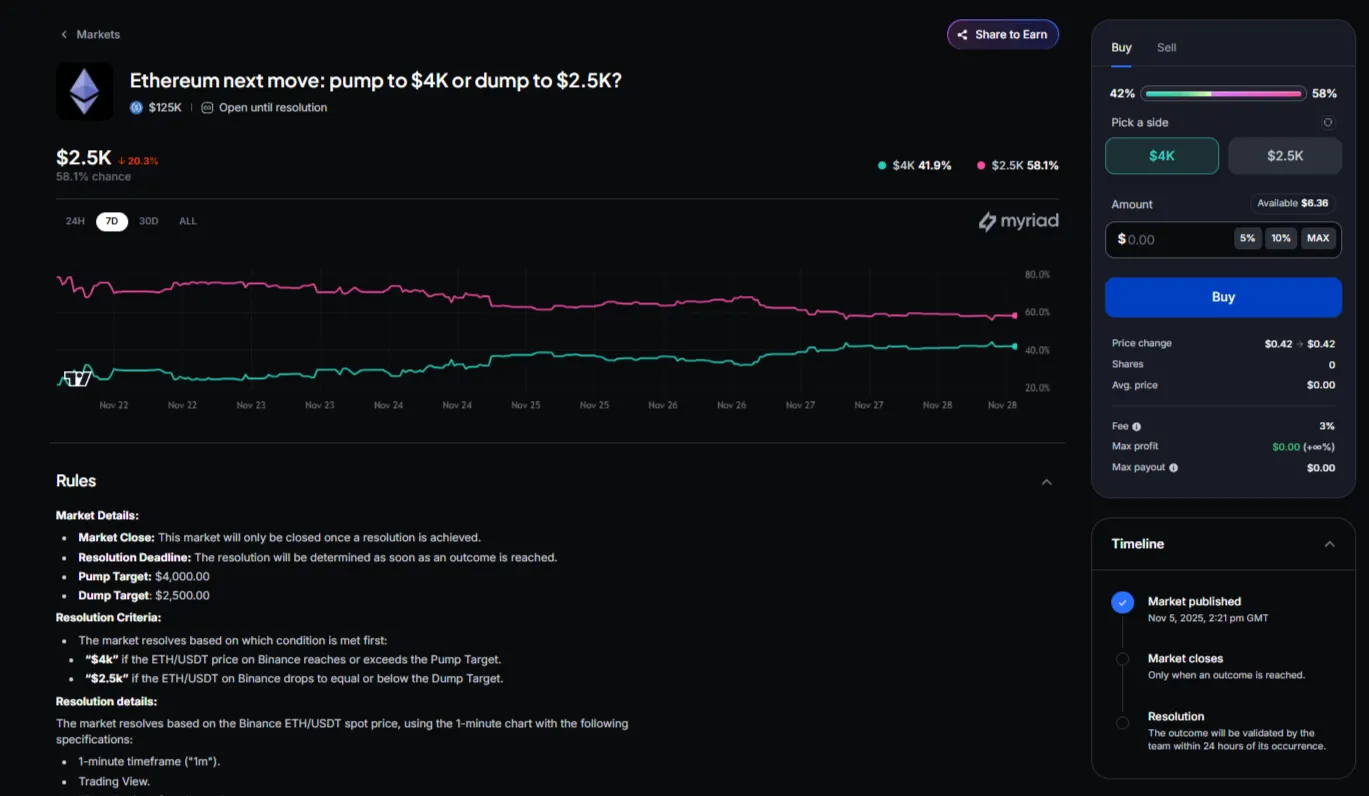
You can also click on the title of any market to open its page, where you’ll see a chart showing how predictions have changed over time, along with the market’s resolution rules.
If an event is cancelled, you’ll get your stake back, or Myriad will settle based on whatever official information is available.
Deposit USDC on Myriad using “From a crypto wallet.”
- Click “+ Deposit”
- This can be found at the top-right of Myriad, next to your USDC balance.

- Select “From a crypto wallet”
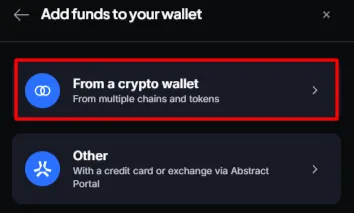
- Click on “From”
- This opens the list of chains and tokens you want to bridge from.
- Examples include Ethereum, Solana, BNB and Polygon.
- Pick:
- Your source chain.
- Your source token (ETH, USDC, USDT, etc.).
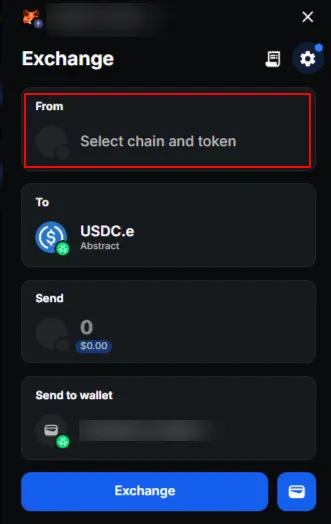
- Confirm destination token
- The “To” field must be USDC.e – Abstract.
- This is the only token used inside Myriad.
- Check “Send to wallet”
- Confirm it shows your connected Abstract wallet.
- This wallet must be the same one connected to Myriad.
- Enter the amount to send
- Type the amount in the “Send” field.
- You will see the estimated USDC.e output.
- Click “Exchange”
- This starts the bridge + swap process.
- Confirm in your wallet
- Your wallet (MetaMask, Phantom, etc.) will open.
- Review the transaction.
- Confirm.
- Wait for on-chain confirmation
- The bridge processes the transaction.
- After confirmation, USDC.e is sent to your Abstract wallet.
- Return to Myriad and start trading
- Your USDC balance updates automatically.
- Click “Start Trading” and place your positions.
Add USDC funds to your wallet using the “Other” button
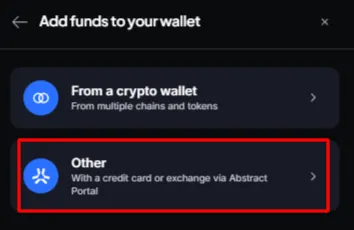
When you click “Other” on the “Add funds to your wallet” screen:
- You are redirected to the Abstract portal.
- You can use card, exchange, bridge, or manual transfer options.
- After funding your Abstract wallet, return to Myriad.
- Your USDC.e balance appears once the transaction is confirmed.
Step by step: Funding your Abstract wallet
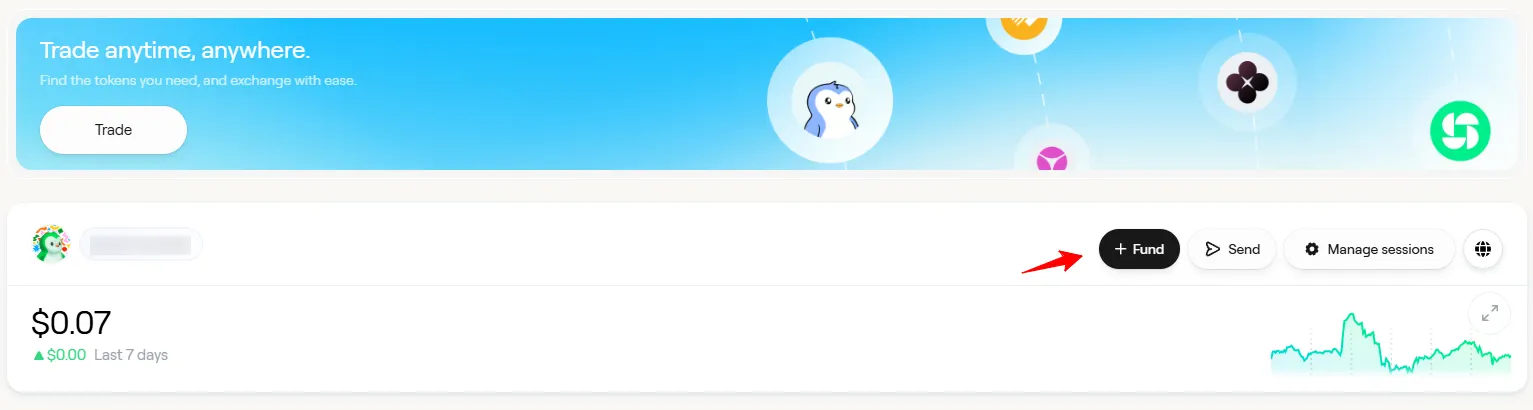
- Go to abs.xyz.
- Click “Enter Portal” in the top-right corner.
- Click “Fund”.
You now have four ways to add funds:
- Option 1: Bridge USDC from another chain using Jumper.
- Option 2: Transfer from a centralized exchange like Binance or OKX via zkSync Era.
- Option 3: Buy USDC directly with Coinbase or MoonPay.
- Option 4: Swap tokens already on Abstract using the Trade feature.
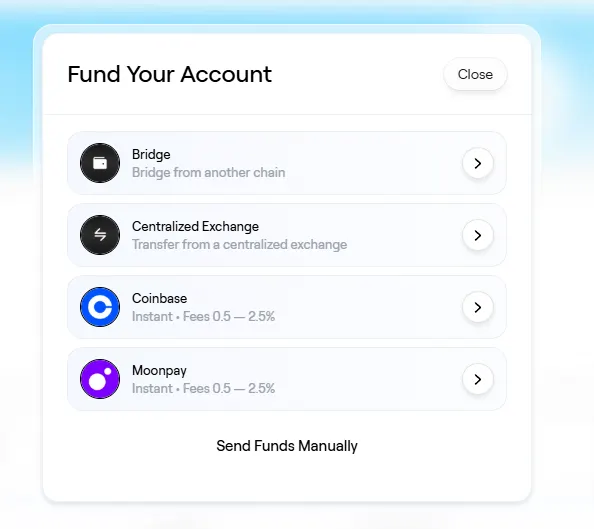
Option 1: Bridge USDC from another chain
- Click “Bridge”.
- This opens Jumper (multi-chain bridge).
- Click “Connect wallet”.
Select:- Your source chain.
- Your source token.
- Enter the amount.
- Select USDC.e on Abstract as the destination.
- Confirm the transaction in your wallet.
Option 2: Transfer from a centralized exchange
- Select “Centralized exchange”.
- Choose an exchange (e.g., Binance, OKX).
- A one-time deposit address on zkSync Era is generated.
- Copy this address.
- Paste it into the withdraw field on your exchange.
- Send funds using zkSync Era network only.
Option 3: Buy USDC directly
You can purchase USDC using:
- Coinbase
- MoonPay
Follow the provider’s checkout flow.
Funds arrive directly in your Abstract wallet.
Option 4: Swap tokens already on Abstract
If you already hold assets on Abstract:
- Click “Trade.”
- Search for USDC.
- Select “USDC.e.”
- Choose the token you want to sell.
- Click “Review.”
- Approve the transaction in your wallet.
Final step: Back to Myriad
- Return to the Myriad app.
- Wait for confirmation.
- Your USDC.e balance updates automatically.
- You can now trade.
Using Trust Wallet
In December 2025, Myriad became the first prediction market to launch in-wallet predictions with Trust Wallet.
To get started with Predictions on Trust Wallet, simply fund your wallet as normal and head to the Swaps tab, then click on Predictions:
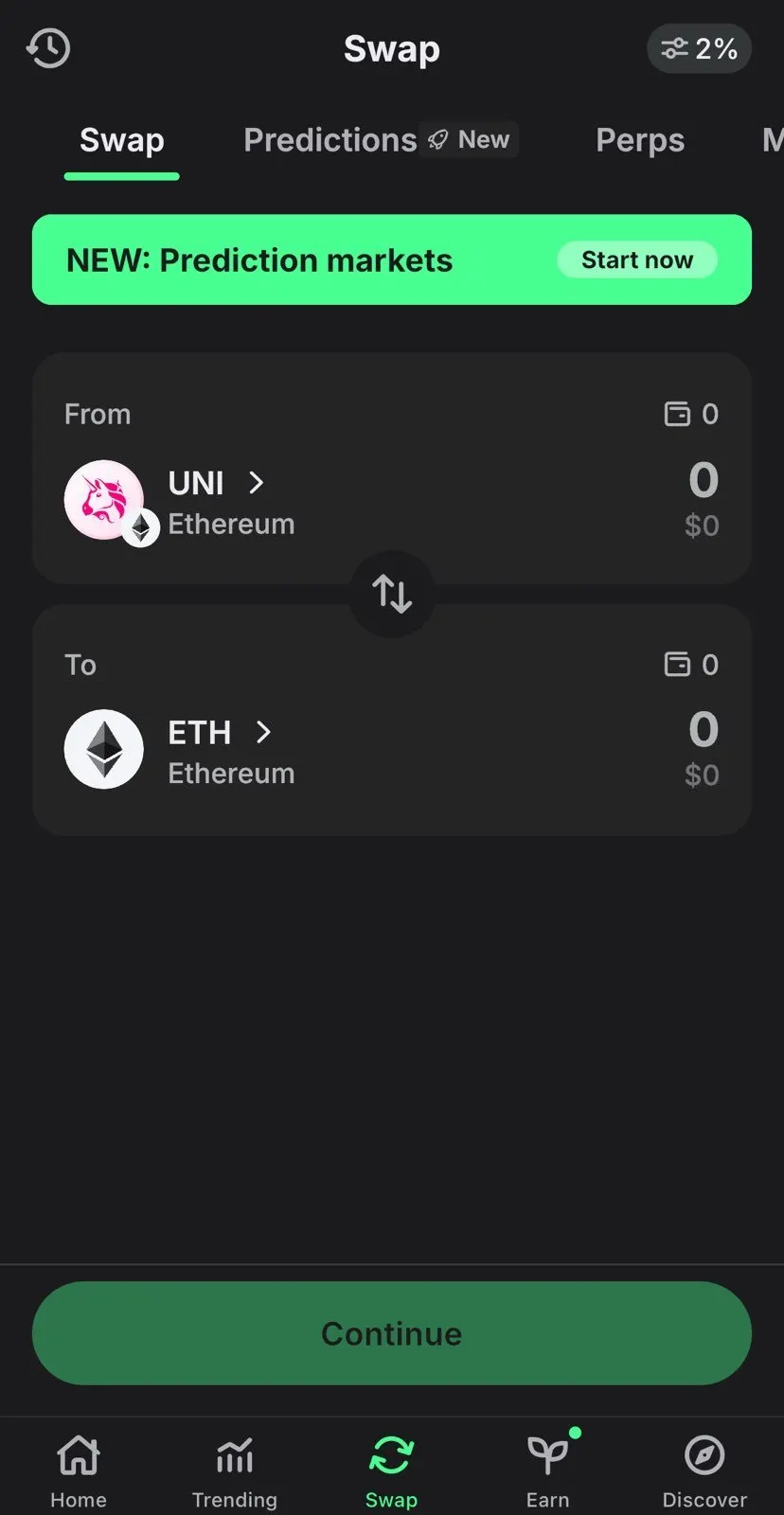
From there, it’s simply a case of scrolling through the markets on offer:
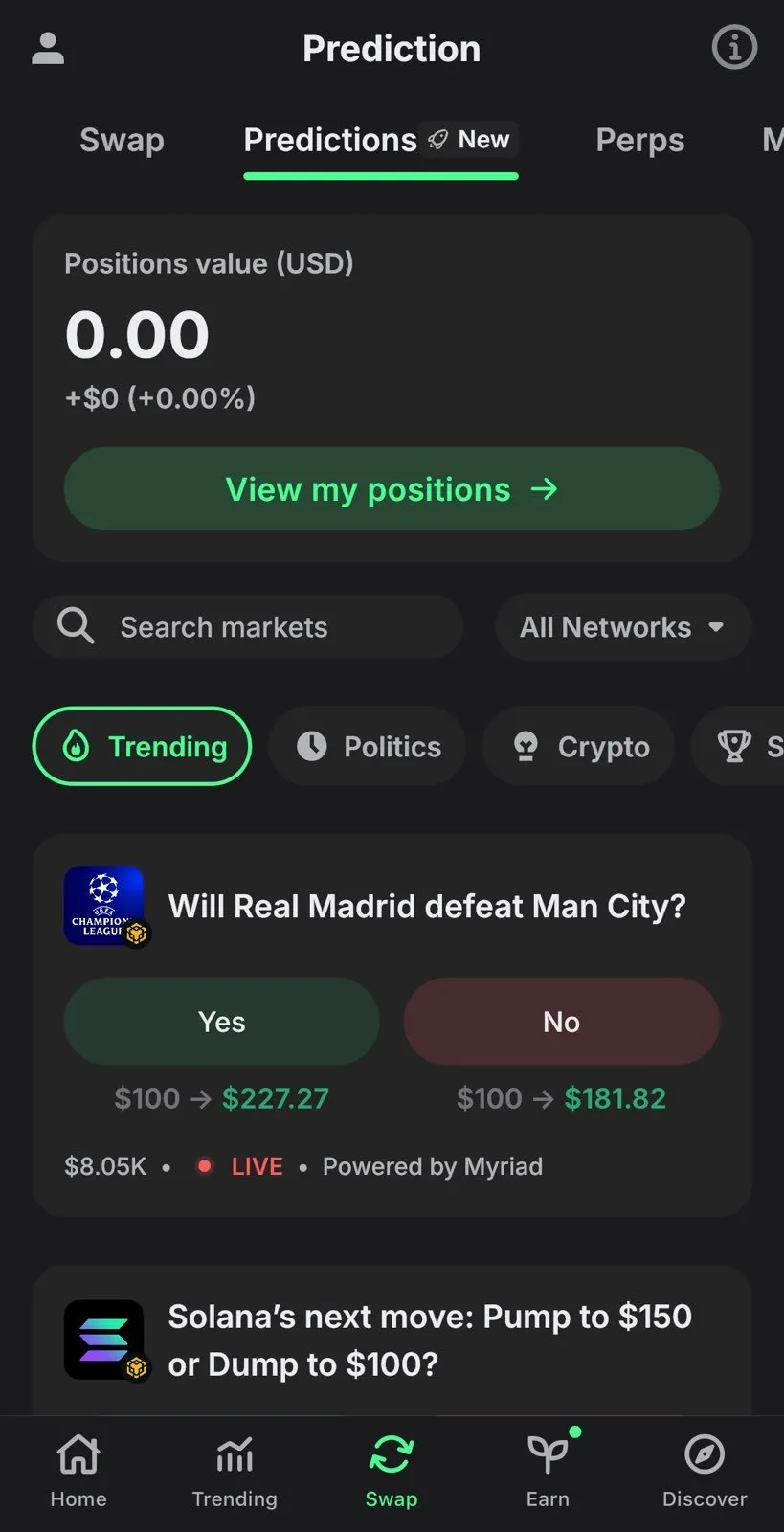
Then simply tap on the relevant market to make your prediction:
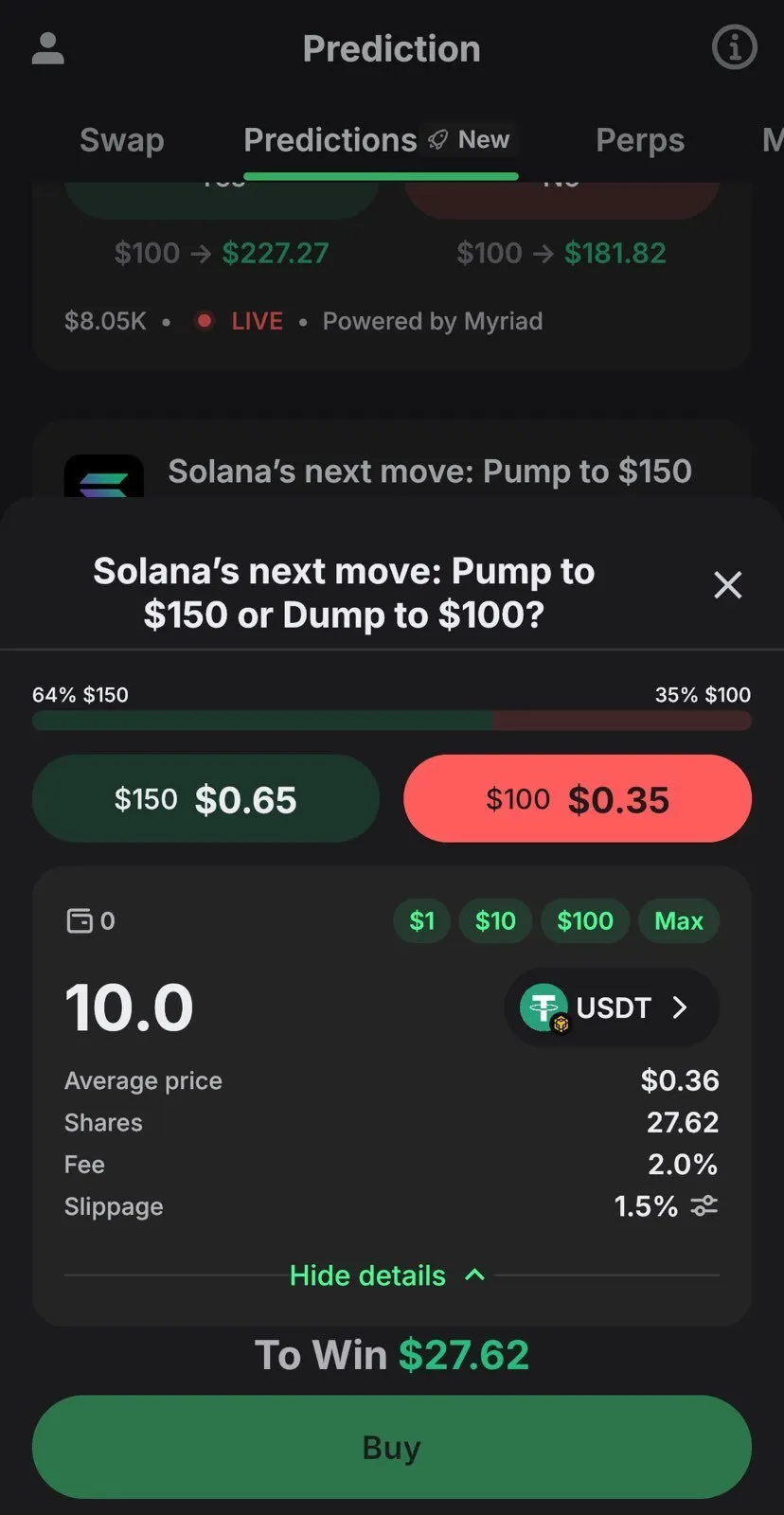
Help! Something’s not working!
If you encounter a bug or other issue, let us know by filling out our support form.
How does Myriad protect my account?
Myriad is committed to providing a safe, secure experience for users. Your account is protected by:
- Secure authentication using email or wallet login.
- Blockchain-based security for transparent and secure transactions.
- Data encryption to protect your information.
To try Myriad now, head to myriad.markets.
Editor's note: This article was first published in March 2025 and last updated in December 2025.